MiraClean - File Manager
- 3.8
- Rating
- 10.00M
- Installs
- Free
- Price

 Analysis by App-foxy
I spent time with MiraClean as a practical Android productivity tool rather than treating it like a dramatic phone “booster.” Its job is straightforward: help me find unwanted files, manage stored content, and reduce the interruption caused by notifications I do not want. That combination makes sense for anyone whose phone has become difficult to sort through, especially when storage is crowded with downloads, old media, or files that are no longer useful.
The app is developed by NOVAGE DEV and is available free of charge. It is aimed at Everyone, so its presentation is accessible to a broad audience, including people who are not comfortable digging through Android’s file settings. The current release is version 1.0.56, and it works on Android 7.0 or later. Those details matter because MiraClean is not an iPhone utility and should not be chosen by someone looking for an iOS solution.
How MiraClean fits into everyday phone maintenance
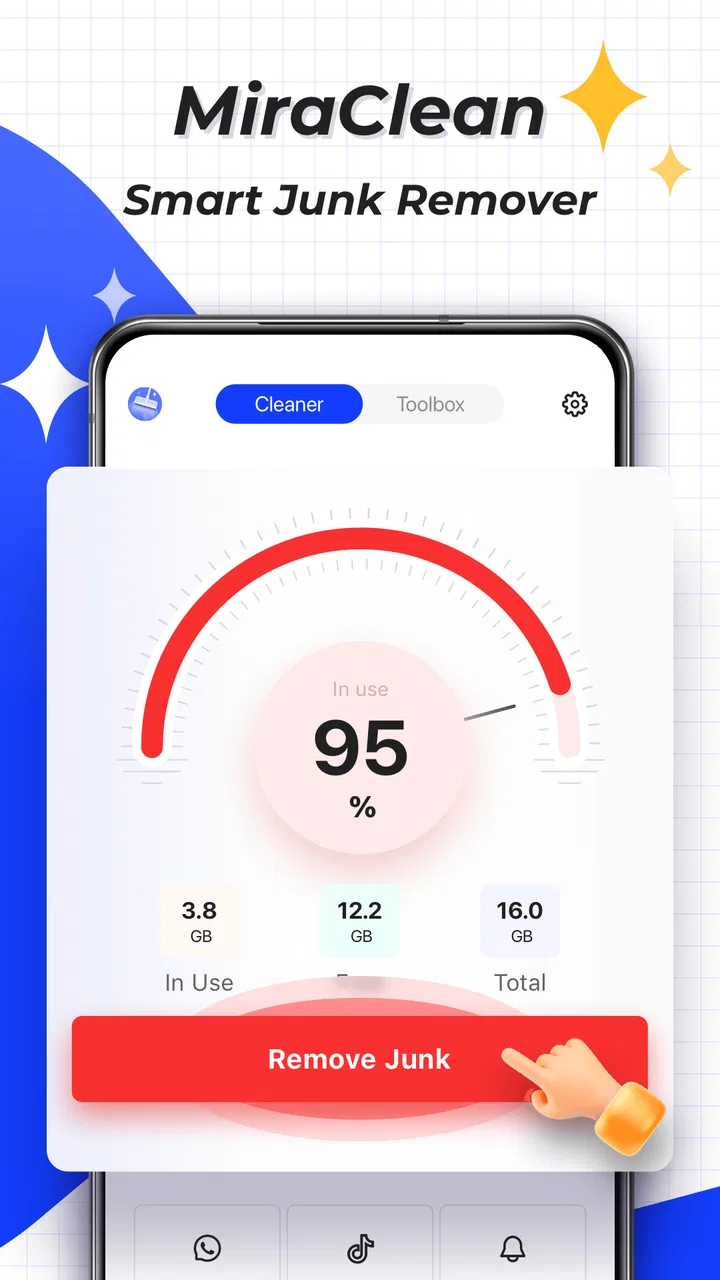
At its best, MiraClean brings three chores into one place: identifying junk files, handling unwanted notifications, and organizing files. I found that combination more useful than a single-purpose cleaner when I wanted a quick overview of what was making my phone feel cluttered. Instead of switching between storage settings, a file browser, and notification controls, I could begin with one productivity-focused app and decide what deserved attention.
You May Also Like

 Pandora - Music & Podcasts
Pandora’s Music Is Easy to Start, but Harder to Recover
Pandora’s strength is its low-effort path from a seed to a station. Its weak spot is how much confidence it asks you to place in connection, setup, and quiet recovery.

 8 Ball Pool
 Is Built on Rivalries, Rematches, and Routine
A close look at the rivalries, rematches, shared routines, and unanswered safety questions that turn a quick pool match into a persistent mobile community.

 Samsung Music
’s Quiet Strength Is Playing What You Already Own
Its reach comes less from spectacle than from dependable access to a personal library. That simplicity is both the app’s strongest retention engine and its ceiling.

 AccuWeather: Weather Radar
AccuWeather Review: A Quick, Clear Forecast for Everyday Decisions
For everyday plans, the best forecast is the one you can understand quickly. AccuWeather makes rain timing, radar, and local conditions easy to act on, with a few trade-offs.

 Hill Climb Racing
Why Hill Climb Racing Still Turns Crashes Into One More Run
A tiny car, a bumpy hill and one more upgrade: Hill Climb Racing keeps resurfacing because its simple chaos makes every near-miss feel personal.

 AliExpress - Shopping App
AliExpress Makes Global Shopping Feel Personal, but Shoppers Bear the Risk
AliExpress turns a global marketplace into a pocket-sized discovery engine. Its reach is useful, its shopping loop compelling, and its trade-offs easy to miss.
More From Our News Desk
View All News


The most important word here is “decide.” A cleaner is only helpful when it makes removal safer and clearer, not when it encourages me to delete everything presented as unnecessary. I would use MiraClean as a review layer before deleting anything. Downloads, duplicate-looking media, old installation files, and large forgotten documents can all have a reason to remain. The app is most valuable when it helps me notice those items and then inspect them with care.
That approach also explains why I would not describe it as a magic speed-up tool. Removing clutter can make storage management easier, but it does not automatically transform every phone into a faster device. The practical benefit is better control: I can see what is taking space, decide what is disposable, and keep the rest organized.
A realistic use case: cleaning up after a busy month
Imagine a phone used for work, family messages, travel documents, screenshots, and occasional downloads. After a month, the storage is filled with several versions of the same image, temporary-looking files, forgotten attachments, and documents saved “just for now.” Opening the regular file manager may reveal the problem, but it can still take time to locate each category and remember what is safe to remove.
This is where I see MiraClean fitting naturally into a weekly or monthly routine. I would open it when the phone starts warning about storage, review the suggested clutter, remove only items I recognize, and then use its file-management side to put important material somewhere easier to find. The notification controls can be handled separately, so the same session can also reduce the stream of low-value alerts that makes the phone feel busier than it needs to be.
A useful habit is to treat the first pass as an audit rather than a purge. I would note which folders repeatedly collect disposable material, check whether a large file is a personal recording or an old download, and only then confirm deletion. This small change prevents the common mistake of assuming that every item shown by a cleaning tool is worthless.
What the file-management side is good for
The file-management purpose is more important than it may first appear. Many people do not need an advanced desktop-style file explorer; they need a simple way to locate a document, identify a crowded area, or separate useful files from forgotten ones. MiraClean is appealing in that middle ground. It can serve someone who finds Android’s built-in storage screens too scattered but does not want a complicated specialist utility.
I would particularly consider it for people who download files often and rarely revisit their folders. A cleaner can draw attention to accumulated material, while a manager can help me handle what remains. That two-step workflow is more sensible than deleting everything at once: first reduce obvious clutter, then arrange the files I actually intend to keep.
There is also a privacy-minded practical advantage in handling the review myself. I do not have to rely on an automatic “clean now” decision. I can pause when a file name looks familiar, open the relevant location through the management tools, and preserve anything that has personal or work value. The app becomes a sorting assistant rather than an authority over my storage.
Notification blocking is useful, but it needs judgment
Unwanted notifications are a different kind of clutter. They do not consume storage in the same way, but they consume attention. MiraClean’s notification-blocking function gives the app a broader role than a conventional file cleaner. I can use it when alerts from an app are repetitive, promotional, or simply not important enough to interrupt me.
I would not block notifications indiscriminately. Delivery updates, banking alerts, calendar reminders, authentication messages, and family communication can look similar to less important alerts at a glance. A better workflow is to observe which notifications repeatedly add no value, then block only those sources or categories that I can confidently ignore. If I am unsure, I would leave them enabled until I understand their purpose.
The trade-off is convenience versus awareness. Blocking noise can make the phone calmer, but it can also hide something I later wish I had seen. For that reason, I see this feature working best as a refinement tool after a few days of observation. It is not a replacement for reviewing the notification settings of critical apps one by one.
Where the free price changes the decision
MiraClean is free, so the basic value question is uncomplicated: there is no purchase price to weigh against the convenience it offers. That makes it easy to try if I want a single place for file cleanup, storage organization, and notification control. I can judge whether its workflow suits me without committing money first.
Free access does not mean every user will get the same value. Someone who already understands Android’s storage tools and keeps notifications carefully configured may gain very little. In that case, MiraClean could feel like an extra layer between me and functions I already manage efficiently. The app earns its place when its central view saves time or makes maintenance less intimidating.
I also prefer to be precise about what “free” means here. It establishes that the app has no listed purchase price for access, but it does not justify assuming anything about optional payments, advertisements, or the exact business model. I would install it for the free access itself, then judge the experience by how clearly it presents actions and how much control it gives me before I remove or block anything.
How it compares with the usual alternatives
Android’s built-in storage settings are often the safest starting point for users who want system-level information without another utility. They can be enough for checking broad storage categories and removing files manually. MiraClean becomes more attractive when I want a more approachable maintenance workflow that combines file handling with notification control instead of keeping those tasks separate.
A dedicated file manager may be better for someone who frequently moves folders, works with archives, or needs detailed control over locations and file operations. MiraClean’s appeal is not that it replaces every specialist tool; it is that it connects cleanup with everyday organization. If my needs are advanced, I would choose the dedicated manager. If my problem is general clutter and too many interruptions, the combined approach is more convenient.
There are also single-purpose cleaning apps, but using one of them usually leaves notification management elsewhere. That separation may be preferable for people who want a narrowly focused tool and dislike all-in-one utilities. I prefer MiraClean’s broader scope when I am doing routine phone housekeeping, although I would still verify every suggested deletion rather than trusting a generic label such as “junk.”
For notifications, Android’s own controls remain important because they are closer to the operating system and may offer more granular options depending on the device. MiraClean is useful as an accessible front door to the problem, but I would return to system settings for critical apps or whenever a blocked alert has unexpected consequences.
Small workflow choices that make it safer
My first recommendation is to clean in batches instead of approving a long list in one tap. I would begin with files I can identify immediately, such as obsolete downloads or duplicate screenshots, and leave ambiguous items for a second review. This keeps the convenience of a cleaner without surrendering control.
My second recommendation is to use file management after cleanup, not before every decision. Once obvious clutter is gone, the remaining folders are easier to understand. I can then rename, relocate, or retain meaningful files with less visual noise. This sequence turns MiraClean into a repeatable maintenance routine instead of a one-time emergency response.
My third recommendation concerns notifications: block by consequence, not annoyance alone. A notification that irritates me may still carry information I need. I would distinguish between alerts that are merely frequent and alerts that are genuinely useless, then check the result over the next few days. If something important disappears, I would restore it through the relevant settings.
A fourth useful habit is to keep a short mental list of files that must never be treated casually, such as work exports, travel records, identity documents, and personal media. When MiraClean presents cleanup suggestions, that list gives me a quick reason to slow down. This is especially valuable for shared devices or phones used for both personal and professional tasks.
Limitations I would consider before installing
The biggest limitation is that convenience can encourage overconfidence. A tidy interface may make deletion feel safer than it really is. MiraClean can help me locate clutter, but I remain responsible for checking what each item contains and whether another app depends on it. Anyone expecting a completely automatic, risk-free cleanup should adjust that expectation.
The combined feature set may also feel broader than necessary. If I only want to browse folders, a conventional file manager may be clearer. If I only want to silence one noisy app, Android’s notification controls may be quicker. MiraClean makes the most sense when I genuinely want all three areas—storage cleanup, file organization, and notification management—in one accessible workflow.
Another consideration is that results will depend on the condition of the phone and the habits of its owner. A carefully maintained device may have little removable clutter. Likewise, someone who already dismisses notifications efficiently may not notice a major improvement. The app cannot create meaningful savings or calm where there is no underlying problem to solve.
I would also avoid judging it solely by the promise of a cleaner phone. The stronger reason to keep it installed is the routine it encourages: review storage, handle files deliberately, and reduce interruptions with care. If that routine does not match the way I use Android, the app may become another unused utility rather than a lasting productivity aid.
Who is likely to get the most value?
MiraClean is a good fit for Android users who feel that their storage is disorganized but do not want to learn several separate tools. It is also useful for people who receive too many low-value notifications and want a more direct way to address them while dealing with files. Newer Android users may appreciate the single starting point, while experienced users may value it as a quick maintenance dashboard.
I would especially recommend trying it on a phone shared between communication, work, entertainment, and personal storage. That mixed use creates exactly the kind of clutter the app is designed to help review. It can also suit someone who downloads many documents or images and needs periodic reminders to sort them rather than letting everything accumulate indefinitely.
I would skip it if I require highly specialized file operations, prefer only built-in system tools, or want a utility that performs aggressive automatic cleaning without asking me to make decisions. It is also not the right choice for an iPhone user, since its stated platform requirement is Android. For a person who already has a disciplined storage system and carefully tuned notifications, the added value may be modest.
What the adoption figures suggest, and what they do not
MiraClean has passed ten million installs, with an average rating of 3.8 from around twelve thousand ratings and 358 written reviews. That level of adoption tells me the app has reached a substantial Android audience, while the middling average suggests a more mixed experience than a universally loved tool. I would interpret that as a reason to try it thoughtfully rather than as proof that it will suit every phone.
The app was released on October 8, 2024, and the current version is 1.0.56. The relatively recent release context makes it sensible to pay attention to how the interface behaves on my particular device and Android version. Compatibility begins with Android 7.0, which covers many older phones, but practical behavior can still vary across manufacturers and system interfaces.
My buy-or-skip verdict
Because MiraClean is free, my verdict is a conditional recommendation rather than a purchase decision. I would try it if my phone has become cluttered, my downloads are hard to track, or unwanted notifications are taking too much attention. The combination of cleanup, file management, and notification blocking gives it a useful identity beyond a basic storage scanner.
I would keep it only if it makes those chores clearer and faster without pressuring me into careless deletion. The best value comes from using it as a guided review tool: inspect the candidates, preserve important files, and block notifications selectively. That approach gives me the convenience of a central utility while keeping the judgment where it belongs—with me.
My final view is that NOVAGE DEV has made a practical productivity app for ordinary Android maintenance, not a substitute for every specialized system tool. Try it when you need one accessible place to regain control of files and notifications; skip it when Android’s built-in options already solve the problem cleanly. For the right user, the free access makes experimentation easy, and the app can become a useful monthly reset rather than another icon that quietly gathers dust.
FAQs for MiraClean - File Manager
01What is MiraClean - File Manager and what does it do?
MiraClean - File Manager is a comprehensive application designed to help users manage and organize their files on Android devices efficiently. It provides features such as file categorization, storage analysis, and junk file cleaning to optimize device performance. It's ideal for users looking to declutter and enhance their device's storage management.
02Is MiraClean - File Manager safe to use on my device?
Yes, MiraClean - File Manager is safe to use. The app is developed by a reputable company, ensuring user data privacy and security. It doesn't require unnecessary permissions, and its operations are transparent, allowing users to manage their files without compromising personal information.
03What features does MiraClean - File Manager offer for file management?
MiraClean - File Manager offers a variety of features, including file categorization, advanced search options, cloud storage integration, and a built-in media player. It also provides tools for compressing and decompressing files, making it easy to manage large files and folders efficiently.
04Does MiraClean - File Manager support cloud storage services?
Yes, MiraClean - File Manager supports integration with popular cloud storage services like Google Drive and Dropbox. This feature allows users to access, manage, and sync their files across multiple devices, providing flexibility and ease of use for those who rely on cloud storage solutions.
05Are there any in-app purchases or ads in MiraClean - File Manager?
MiraClean - File Manager offers a free version that includes ads. However, users can opt for a premium version that removes ads and unlocks additional features such as advanced storage analysis and priority customer support. This option is ideal for users who prefer an ad-free experience with enhanced functionalities.
Pros
- Intuitive user interface for easy navigation.
- Efficient junk file cleaning boosts speed.
- File transfer is quick and seamless.
- Supports multiple file formats for versatility.
- Cloud integration enhances storage options.
Cons
- Occasional ads disrupt user experience.
- Some features locked behind a paywall.
- Limited customer support availability.
- Compatibility issues with older devices.
- Large app size may affect storage.

MiraClean - File Manager
Gallery